
Walton

- Display: IPS, 120Hz, 5ms
- Resolution: FHD (1920 x 1080)
- Ports: 1x HDMI, 1x VGA, 1x DC Power
- Features: Antiglare, LED Backlight, 2x 2W SPEAKER

- Max Resolution: 1920x1080
- Connectivity Port: HDMI + VGA+DP+USB -C + DC Power
- Speaker: 2W*2
- Display: IPS, 100Hz, 5ms
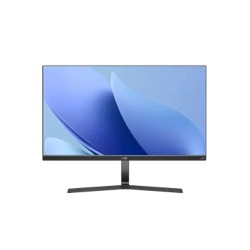
- Resolution: FHD (1920 x 1080)
- Display: IPS, 100Hz, 5ms
- Ports: 1x HDMI, 1x VGA, 1x Audio Out
- Features: Flicker Free, Free Sync, 2x 3W Speaker
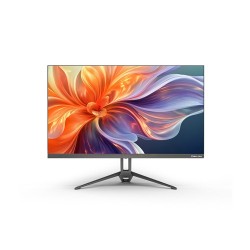
- Display: 23.8 Inch FHD LED Backlit LCD Display
- Panel Type: IPS
- Connectivity Port: HDMI + VGA + Audio out + DC In
- Display Resolution: FHD 1920*1080 pixels
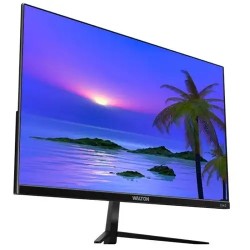
- Resolution: FHD (1920 x 1080)
- Display: IPS, 75Hz, 16ms GTG
- Ports: HDMI & VGA
- Features: anti-glare, LED Backlight

- Resolution: 23.8" FHD (1920x1080)
- Display: IPS, 75Hz, 5ms (G to G)
- Ports: 2x HDMI, 1x VGA, 1x DP, 4x USB , Audio out
- Features: Flicker Free, Low Bluelight, HDR
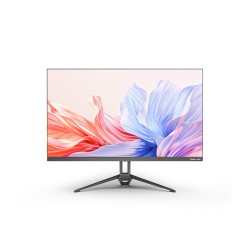
- Display: 23.8 Inch QHD LED Backlit LCD Display
- Panel Type: IPS
- Connectivity Ports: 2*HDMI+DP+Audio out
- Display Resolution: QHD 2560*1440 pixels
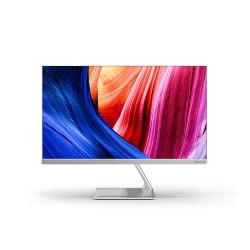
- Display: 23.8" FHD LED Backlit LCD Display
- Panel Type: IPS
- Connectivity Port: DP+HDMI+VGA+AUIDO IN+AUDIO OUT +2*USB-A+USB-B + DC In
- Display Resolution: FHD 1920*1080 pixels

- Resolution: QHD (2560x1440)
- Display: IPS, 165Hz, 1 ms (OD)
- Ports: 2x HDMI, 2x DP, Audio out
- Features: Built-in 2x 2W Speaker

- Resolution: UHD (3840x2160)
- Display: IPS, 60Hz, 5ms (OD)
- Ports: 2x HDMI, 1x DP, 1x Type-C, Audio out
- Features: Flicker Free, Low Bluelight, HDR

- Processor: 12 Gen Core i3 12100 Processor
- Storage: 512GB M.2 NVMEeSSD
- Brightness: 300cd/m2
- Display: 23.8 INCH FHD LED Display

- Storage: 512GB M.2 NVMe SSD
- Brightness: 300cd/m2
- Display: 23.8” FHD IPS Panel
- Graphics Card: Intel® UHD Graphics 730

- Resolution: FHD (1920 x 1080)
- Display: IPS, 100Hz, 5ms
- Ports: 1x HDMI, 1x VGA, 1x DC Power
- Features: Antiglare, LED Backlight, 2x 2W SPEAKER

- Resolution: QHD (2560x1440)
- Display: IPS, 165Hz, 1 ms (OD)
- Ports: 2x HDMI, 2x DP, Audio out
- Features: Built-in 2x 2W Speaker
Discover Affordable Walton Monitor Price in Bangladesh from Ultra Technology
Walton has quietly become one of the most popular monitor brands in Bangladesh, and it's not hard to see why. When you're looking at the Walton monitor price in Bangladesh, you immediately notice something different. You're getting way more screen for your money compared to imported brands, and the quality actually holds up. Whether you need a basic display for office work, a curved gaming monitor for weekend battles, or something in between, Walton makes options that fit Bangladeshi budgets without feeling cheap.Here's what really matters about upgrading to a Walton monitor. Your eyes get less tired because the screens use flicker-free technology and blue light filters. Everything looks sharper and clearer than those old fuzzy displays from 10 years ago. Colors pop more, text is easier to read for hours, and if you're gaming, you actually see enemies faster with better response times. It's one of those upgrades where you wonder why you waited so long.
The monitor market in Bangladesh has changed a lot recently. People want local warranty support they can actually use, prices that make sense for our market, and dealers who know what they're selling.Walton entered the monitor game a few years back and honestly surprised a lot of people. The early models were okay, but recent releases compete seriously with international brands that cost way more. The company figured out what Bangladeshi users actually need instead of just copying what sells in other countries. What makes Walton monitor price in Bangladesh so attractive is that you're not paying for expensive overseas shipping, import taxes on top of import taxes, or distributor margins that add 40% to the price. Walton manufactures locally and keeps costs reasonable. A 24 inch Full HD IPS monitor that might cost ৳18,000 from an international brand runs around ৳12,000 to ৳14,000 from Walton with similar specs.
At Ultra Technology, we stock the complete Walton monitor lineup from basic 19 inch models starting around ৳9,200 up to premium 32 inch curved gaming displays reaching ৳77,000. Every monitor comes with Walton's 3-year official warranty serviced right here in Bangladesh, and our team helps you pick based on what you're actually going to do with it.
Best Walton Gaming Monitors for Smooth, Lag-Free Performance
Gaming monitors need specific features to actually improve your gameplay instead of just looking flashy. Walton's gaming lineup delivers where it counts. The Walton curved gaming monitors with 144Hz or 165Hz refresh rates change how competitive gaming feels. If you've been playing on a 60Hz office monitor, jumping to 144Hz is like putting on glasses for the first time when you didn't know you needed them. Motion looks smoother, tracking enemies gets easier, and fast-paced games like Valorant, CS:GO, or Apex Legends feel more responsive. Response times on Walton gaming models hit 1ms or 4ms GTG (grey-to-grey), which eliminates that annoying motion blur and ghosting where fast-moving objects leave trails on the screen. This matters in shooters and racing games where split-second reactions decide wins and losses. You see enemies move around corners clearly instead of through a smudgy blur.
Walton's 27 inch and 32 inch curved VA panels offer the 1500R or 1800R curvature that wraps around your field of view nicely for immersive gaming. The curve isn't so extreme that regular use feels weird, but in games, it genuinely helps you spot movement in your peripheral vision. VA panels also give you better contrast ratios than IPS, making dark game scenes easier to see without cranking brightness to uncomfortable levels. AMD FreeSync support on most Walton gaming monitors eliminates screen tearing when your GPU and monitor refresh rates don't match perfectly. If you're running AMD graphics cards or even newer NVIDIA cards (which support FreeSync too now), this makes gameplay visibly smoother. Frame rates feel more stable and consistent.
For the complete gaming setup, pair your Walton monitor with a quality gaming keyboard and Mouse for full control. The combo makes a huge difference in competitive play.
Perfect Walton Monitors for Daily Office Work and Study
Office work and studying don't need the fastest refresh rates or curved screens, but they need features that keep your eyes comfortable during 8+ hour days. Walton's 21.5 inch and 24 inch Full HD monitors hit the sweet spot for productivity. Text stays sharp and readable at normal viewing distances. You can fit two documents side by side, or have email open next to a spreadsheet without everything feeling cramped. The 1920x1080 resolution gives enough screen real estate without making text tiny like higher resolutions sometimes do.
IPS panels in Walton office monitors provide accurate colors and wide viewing angles. This means you can look at the screen from slightly off-center (when you lean back in your chair or glance over while typing) and colors don't shift weird like they do on cheaper TN panels. If you work with photos, documents, or presentations, what you see on screen matches what prints or displays elsewhere. Flicker-free technology makes a bigger difference than most people realize. Older monitors flicker at rates you don't consciously notice but that tire your eyes quickly. Walton's flicker-free backlighting eliminates this, reducing eye strain and headaches during long work sessions. Combined with blue light filter modes, you can work comfortably even late at night without feeling like your eyes are burning.
Students and office workers often need dual monitor setups for productivity. Walton's slim bezels make dual-screen configurations look cleaner with minimal gap between displays. Grab two 24 inch Walton monitors, set them side by side, and suddenly research, writing, coding, or data entry becomes way more efficient. Ultra Technology can help you pick matching models for seamless dual-monitor experiences.
Understanding What Makes Walton Monitor Stand Out: Features That Actually Matter
Walton monitors aren't trying to compete with ৳2 lakh professional displays. They aim to give regular users solid performance at prices that make sense in Bangladesh. Understanding their approach helps set proper expectations.
- Local Manufacturing Benefits: Walton assembles monitors in Bangladesh using a mix of local and imported components. This keeps costs down while creating jobs locally. More importantly, it means replacement parts are easier to source and warranty service happens faster. You're not waiting months for a part to arrive from Korea or China.
- Panel Sourcing Strategy: Walton uses IPS and VA panels from established manufacturers (often Samsung or BOE panels). These are the same panel types you'd find in more expensive brands, just without the brand premium. A 24 inch IPS panel performs similarly whether it's in a Walton casing or a Dell casing, the difference is you're paying ৳14,000 instead of ৳22,000.
- Feature Selection: Walton focuses on features people actually use instead of adding every possible spec to inflate prices. Do you need USB-C power delivery on a ৳15,000 monitor? Probably not. Do you need solid color accuracy, multiple input ports, and reliable build quality? Absolutely. They prioritize practical features over marketing checkboxes.
- Warranty and Support Infrastructure: The 3-year warranty on most Walton monitors gets serviced through centers in Dhaka, Chittagong, and other major cities. Turn-around times for repairs typically run 3-7 days rather than weeks. Ultra Technology handles warranty initiation for monitors bought from us, streamlining the process compared to dealing with large corporate support systems.
IPS vs VA Panels: Which Walton Monitor Suits You?
Understanding panel types helps you pick the right Walton monitor for your specific use case. It sounds technical but it's actually pretty simple.
IPS (In-Plane Switching) Panels: These give you the most accurate colors and the widest viewing angles. If you work with photos, graphics, or just want colors to look natural and consistent, IPS is the way to go. The downside is contrast ratios are okay but not amazing, so pure blacks look more like dark greys. Response times are decent but not the absolute fastest. Walton uses IPS panels in their office and general-use monitors where color accuracy matters more than extreme speed. If you're editing photos for your business, working on presentations, or just want things to look good, grab an IPS model. The viewing angles mean you can show something to a colleague standing beside your desk without colors looking weird from their angle.
VA (Vertical Alignment) Panels: These provide better contrast ratios, meaning deeper blacks and more "pop" to images. This makes them great for gaming and watching movies where dramatic visuals matter. Colors aren't quite as accurate as IPS from extreme angles, but from normal viewing position they look great. VA panels typically have slightly slower response times than IPS, though modern VA gaming panels get down to 4ms which is fine for everything except maybe pro esports. Walton uses VA panels in their gaming and curved monitors where contrast and immersive visuals matter more than perfect color accuracy from weird angles. If you mainly game, watch movies, or want that curved screen experience, VA delivers better value at similar price points to IPS.
Choosing Between Them: For office work, photo editing, graphic design, or general use, go IPS. For gaming, movies, and content consumption, go VA. If you do a mix of both, IPS is the safer all-around choice though you sacrifice some contrast.
Walton Monitor Price Comparison: Finding Your Best Value
Budget Range (৳9,200 – ৳12,000)
This range is suitable for basic everyday computing. Walton monitors in the 19 to 21.45 inch size work well for web browsing, document editing, online classes, and YouTube. Image quality is acceptable for the price, though colors and viewing angles are average. These monitors are ideal for students, small offices, or secondary displays. A good example is the Walton WD215I10, which offers smooth performance at a very affordable price.
Mid-Range (৳12,000 – ৳18,000)
Performance Range (৳18,000 – ৳30,000)
This range introduces gaming-focused features such as higher refresh rates and faster response times. The difference is clearly noticeable in fast-paced games, while IPS panels still provide good color accuracy for creative tasks. Some curved models are also available for a more immersive experience. The WALTON WD27GI07 Gaming Monitor is well-suited for users who want both strong gaming performance and productive workspace.
Premium / Top Tier (৳30,000 – ৳77,000)
Premium Walton monitors are designed for users who need large screens and high resolution. These models are ideal for professional video editing, design work, streaming, and high-end gaming setups. The large display area improves multitasking and visual clarity. The Walton UNIFY S24 (WAOS242101) delivers sharp detail and ample screen space for demanding users.
Purchase Now from Ultra Technology: Complete Support and Service for Your Walton Monitor
Buying a monitor isn’t just about screen size or resolution—it’s also about where you buy it from. A trusted seller ensures genuine products, proper warranty, and long-term support. That’s why many smart buyers in Bangladesh choose Ultra Technology when purchasing Walton monitors. Key reasons to buy Walton monitors from Ultra Technology:
- 100% genuine Walton monitors with factory-sealed boxes and official warranty cards.
- Authorized Walton dealer, so warranty claims are handled directly without hassle.
- Experienced team support from people who regularly use and test Walton monitors.
- Pre-delivery quality checks including dead pixel and basic performance testing.
- Competitive Walton monitor price in Bangladesh with frequent deals and bundles.
- Flexible shopping options via website or Dhaka showroom visit.
- Multiple payment methods including cash, cards, bKash, Nagad, and EMI.
- Fast and safe delivery across Bangladesh with proper protective packaging.
- Reliable after-sales support for setup help and warranty assistance.
Choosing Ultra Technology means you’re not just buying a Walton monitor—you’re getting peace of mind, honest advice, and long-term support. From first-time buyers to professional users, Ultra Technology ensures a smooth experience before and after your purchase.
Easy Maintenance Steps for Longer Monitor Lifespan
Monitors are pretty low-maintenance, but a few easy habits extend lifespan and keep picture quality good.
- Clean the screen properly: Use a soft microfiber cloth lightly dampened with water; avoid glass cleaners and paper towels.
- Remove stubborn marks carefully: For tough spots, use a gentle 50/50 mix of distilled water and white vinegar and wipe softly.
- Clean regularly but gently: Wipe the screen every 2–3 weeks and never press hard while cleaning.
- Prevent dust buildup: Dust the monitor frame and vents weekly using a dry cloth, soft brush, or compressed air.
- Adjust brightness wisely: Set brightness based on room light—70–80% in bright rooms and 30–40% at night.
- Use a surge protector: Protect your monitor from voltage fluctuations common in Bangladesh by using a surge protector or UPS.
- Avoid static images: Use a screensaver or turn off the monitor when idle to prevent image persistence.
- Manage cables properly: Secure cables to avoid strain on HDMI and power ports.
Expert’s Installation Guidance for Getting the Best Picture from Your New Walton Monitor
Monitors don't always look their best right out of the box. Spending 10 minutes on settings makes a noticeable difference.
- Initial Setup Steps: After unboxing and connecting your Walton monitor, power it on and access the OSD (On-Screen Display) menu using the buttons on the monitor frame or bottom bezel. The layout varies by model but typically includes brightness, contrast, color settings, and preset modes.
- Choosing the Right Picture Mode: Most Walton monitors include presets like Standard, Movie, Game, Text, etc. Start with Standard for general use. Game mode reduces input lag for gaming but sometimes makes colors look oversaturated. Movie mode boosts contrast for films. Text mode increases sharpness for reading. Try them and see what looks good to your eyes.
- Adjusting Brightness and Contrast: Brightness controls the backlight intensity. Contrast adjusts the difference between light and dark. Set brightness first based on room lighting (50-70% for most situations). Then adjust contrast to make images pop without making whites blindingly bright or blacks completely crushed. Around 70-75% contrast works for most content.
- Color Temperature Settings: Walton monitors usually offer Warm, Normal, Cool, and User settings. Normal (around 6500K) represents the most accurate whites. Cool makes whites more bluish, which some people prefer for bright daylight use. Warm adds a slight yellow tint that's easier on eyes at night. Pick whatever looks most comfortable.
- Sharpness Adjustment: Contrary to what you might think, cranking sharpness to maximum often makes text and images look worse with weird halos around edges. Start at 50% sharpness and only increase if things look genuinely blurry. Modern digital signals usually don't need extra sharpening.
- Input Lag Reduction for Gaming: If you bought a Walton gaming monitor, look for settings labeled Game Mode, Response Time, or Overdrive. These reduce input lag and pixel response time. Usually "Fast" or "Medium" overdrive settings work best. "Fastest" sometimes causes inverse ghosting (bright halos behind moving objects).
- Blue Light Filter for Night Use: Walton monitors include blue light reduction modes that shift colors warmer and reduce eye strain during evening use. Enable this at night if you're sensitive to blue light. Just remember to turn it off for color-critical work since it makes everything yellowish.
Build a Complete Setup Around Your Walton Monitor from Ultra Technology
A monitor is just one piece of your computing setup. Pairing it with quality peripherals and proper accessories creates a better overall experience.For gaming setups, your monitor is the window to the game world, but you control that world with your keyboard and mouse. Walton's gaming monitors pair perfectly with mechanical gaming keyboards that offer faster response and better feel than membrane keyboards. Add a precise gaming mouse with adjustable DPI and you've got the core of a competitive setup.Don't forget a quality mousepad sized appropriately for your desk and gaming style. Low-sensitivity gamers who make big sweeping mouse movements need larger pads. The surface texture affects mouse tracking accuracy more than people realize.For gamers building complete battlestations, consider that the monitor shows the game but your Essential PC components actually run it. A Walton 144Hz gaming monitor needs a decent graphics card to actually produce 144 frames per second in games. Pair your monitor choice with appropriate GPU performance for best results.
What is the price of Walton monitors in Bangladesh?
Prices start from around ৳8,500, depending on model and size.
Where can I buy Walton monitors in Bangladesh?
Available at Ultra Technology, with genuine products and warranty.
What features make Walton monitors reliable?
Offers HD/Full HD resolution, vibrant colors, and stable performance.
Are Walton monitors suitable for gaming?
Yes, they provide fast response times, smooth refresh rates, and sharp visuals.
Will Walton monitors work for office and home use?
Yes, with eye-care features, adjustable brightness, and ergonomic design.
What is the latest Walton price list in BD 2026?
Check Walton price updated on 16-10-2026 in Bangladesh. Find the lowest prices in Bangladesh with product specifications, key features, images, ratings and more. Latest Walton prices are mentioned here for easy price comparison