
B840 Motherboard
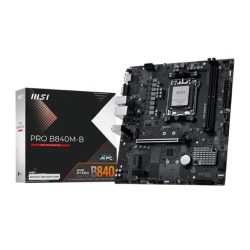
- Supported CPU: AMD Ryzen 9000/ 8000/ 7000 Series for Socket AM5
- Supported RAM: 2x DDR5 UDIMM, Up to 8000 (OC) MHz, Max. 128GB
- Graphics Output: 1x HDMI 2.1, 1x VGA, Maximum resolution of 4K 60Hz
- Features: 2x M.2 Slot, Realtek 8125D 2.5G LAN
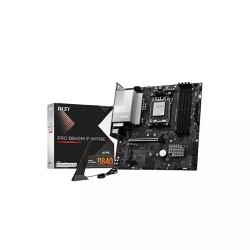
- Supported CPU: AMD Ryzen 9000/ 8000/ 7000 Series for Socket AM5
- Graphics Output: 1x HDMI 2.1, maximum resolution of 4K 60Hz
- Supported RAM: 4x DDR5 UDIMM, Up to 8000 (OC) Mhz, Max. 256GB
- Features: 2x M.2 Slot, Realtek 8125D 2.5G LAN, Wi-Fi 6E, Bluetooth 5.3

- Supports AMD Ryzen 9000/8000/7000 CPUs
- Dual DDR5 up to 8000+ MHz (OC)
- PCIe 4.0 x16 & dual M.2 slots
- Built-in Wi-Fi 6E & 2.5G LAN
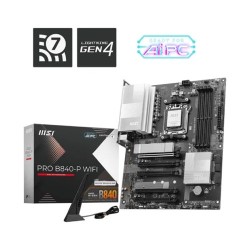
- Supported CPU: AMD Ryzen 9000/ 8000/ 7000 Series for Socket AM5
- Supported RAM: 4x DDR5, Dual Channel DDR5 8000+ MT/s (OC), Max 256GB
- Graphics Output: 1x HDMI 2.1, maximum resolution of 4K 60Hz
- Features: 2x M.2 Slot, Realtek 8125D 2.5G LAN, Wi-Fi 7

- Supports AMD Ryzen™ 9000 / 8000 / 7000 Series Desktop Processors
- Supports DDR5 Memory, Dual Channel DDR5 8000+ MT/s (OC)
- PU Socket Socket AM5
- Form Factor ATX Form Factor

- Supported CPU: Ryzen 9000/8000/7000 Series Processors for Socket AM5
- RAM: 4x DDR5, up to 192GB, 7600+(OC) MT/s
- Graphics Output: 1x HDMI, 2 x DisplayPort
- Features: 1 x Realtek 2.5Gb, Wi-Fi 6E, Bluetooth v5.3
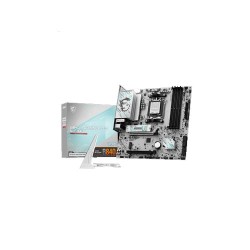
- Chipset: AMD B840
- CPU: Supports AMD Ryzen™ 9000/ 8000/ 7000 Series Desktop Processors
- RAID: Supports RAID 0, RAID 1 and RAID 10 for SATA storage devices
- LAN : Realtek 8125D 2.5G LAN
Gaming & Work B840 Motherboard Price in BD | Ultra Technology
The B840 motherboard has quickly become one of the smartest choices for PC builders in Bangladesh who want solid performance without spending crazy amounts of money. Whether you're putting together a gaming rig, building a workstation for video editing, or just need a reliable computer for everyday tasks, the B840 chipset gives you everything you actually need at prices that make sense.Here's what makes the B840 motherboard price in BD worth paying attention to. You're getting support for Intel's latest processors, modern features like DDR5 memory and PCIe 5.0, and the build quality MSI is known for. Your system boots fast, runs stable, and has room to grow when you're ready to upgrade later. It's the kind of motherboard that just works without giving you headaches.
The PC building scene in Bangladesh has really matured over the past couple years. People know what they want now and they're not settling for outdated tech or questionable quality. At Ultra Technology, we stock genuine B840 motherboards ranging from ৳15,200 for basic ATX models up to ৳29,400 for feature-packed variants with extra connectivity and better power delivery. Every board comes with full manufacturer warranty and our team helps you pick the right one for your specific build.
Select the Best B840 Motherboard Based on Your Build Type
Choosing a motherboard doesn't have to feel complicated. Just think about what kind of PC you're building and what matters most to you.
Perfect for Gaming Builds and High-Performance Systems
If you're building a gaming PC or a workstation that needs serious power, look at the MSI PRO B840-P WiFi or B840M-A WiFi variants. These boards give you everything you need to pair with Intel's Core i5 or i7 processors. The power delivery is strong enough to handle boost clocks without throttling, which means your CPU can actually reach its full speed when you're gaming or rendering.
The PCIe 5.0 slot means you're ready for the latest graphics cards. Whether you're installing an RTX 4060, 4070, or even higher-end cards, the B840 handles it without creating bottlenecks. Gaming at 1080p or 1440p feels smooth and responsive. Load times are quick when you pair the board with a fast NVMe SSD in the M.2 slot.
WiFi 6 or 6E (depending on the model) gives you fast wireless speeds if you can't run ethernet cables. The audio quality is decent too, with Realtek ALC897 or better codecs that make games and movies sound clear through headphones or speakers. RGB headers let you add lighting strips if that's your thing, though they're optional.
Great for Office Work, Content Creation, and Budget Builds
For people building productivity machines or working with tighter budgets, the standard MSI PRO B840 or B840M variants work really well. You still get all the core features like DDR5 support, multiple M.2 slots for fast storage, and USB 3.2 ports for quick file transfers.
These boards pair perfectly with Intel Core i3 or i5 processors for office work, photo editing, programming, or student use. Windows runs smooth, programs open fast, and you can have tons of browser tabs open without the system slowing down. The integrated graphics from Intel work fine for dual monitor setups and video playback.
Content creators working with Photoshop, Lightroom, or even light video editing will appreciate the stability and good memory support. The B840 handles 32GB or even 64GB of DDR5 RAM without issues, which helps when you're working with large files or running multiple creative programs at once.
Top Features of MSI B840 Motherboard in Bangladesh You Must Know
Understanding what the B840 chipset offers helps you see why it's such a popular choice right now in Bangladesh's PC market.
- Latest Intel Processor Support: The B840 works with Intel's 12th, 13th, and 14th generation Core processors on the LGA 1700 socket. This means you have lots of CPU options from budget i3 chips up to powerful i7 models. You're not locked into just one generation either, which gives you flexibility if you want to upgrade your CPU later without changing the whole motherboard.
- DDR5 Memory Ready: While DDR4 is still around, DDR5 is where things are heading. The B840 supports DDR5 RAM which runs faster and more efficiently than older DDR4. You'll notice the difference in how quickly programs load and how smoothly everything runs, especially when multitasking. Most B840 boards support speeds from 4800MHz up to 5600MHz or higher with XMP enabled.
- Multiple M.2 Slots for Fast Storage: Most B840 boards include at least two M.2 slots for NVMe SSDs. This means you can have a super fast drive for Windows and programs, plus another one for games or files. No more relying on slow SATA drives. PCIe 4.0 speeds on these M.2 slots give you read speeds over 7000MB/s with the right SSD, making everything feel instant.
- Solid Connectivity Options: USB 3.2 Gen 2 ports on the back panel give you fast transfer speeds for external drives. USB-C is becoming standard too, which is nice for newer devices. Gigabit ethernet keeps your wired connection stable, and WiFi models add wireless flexibility without needing separate adapters.
The B840 Motherboard is Built to Last with Good Component Quality
MSI's PRO series focuses on reliability and stability rather than flashy features you might never use. The boards use quality capacitors and power stages that handle heat well and keep delivering consistent power to your CPU and RAM even under load. The PCB itself is usually reinforced, especially around the PCIe slots. This matters because modern graphics cards are heavy and can stress the slot over time. MSI adds extra support so your expensive GPU stays secure. The heatsinks on the VRM (voltage regulator modules) might look simple, but they do their job of keeping temperatures reasonable.
BIOS updates from MSI come regularly, which means bug fixes and sometimes even performance improvements or support for newer CPUs. The UEFI BIOS interface is pretty easy to navigate even if you're new to PC building. Settings are organized logically and there's usually a simple mode for beginners plus an advanced mode for people who want to tweak everything. Most B840 boards come with at least a 3 year warranty from MSI. Ultra Technology handles warranty claims right here in Dhaka, so you're not dealing with complicated international support if something goes wrong. That peace of mind is worth a lot when you're investing ৳15,000 to ৳30,000 in a motherboard.
Pick Correct ATX or Micro-ATX Motherboard Size for Your PC Case
B840 motherboards come in different sizes to match different PC cases. ATX is the full-size standard that fits most mid-tower and full-tower cases. These boards have more expansion slots and ports, giving you room to add extra cards or connect more devices.Micro-ATX (mATX) is smaller and fits in compact cases while still offering good features. You might lose one or two PCIe slots compared to ATX, but for most builds, that doesn't matter since you're usually just installing one graphics card anyway. The smaller size can make cable management a bit easier in tighter cases. Check your PC case specs before buying to make sure you get the right size board. Most modern cases list which form factors they support. If you're buying a new case too, we can help you match everything up so it all fits together properly.
Why Ultra Technology is the Smart Place to Buy Your B840 Motherboard
Where you buy your motherboard matters just as much as which model you pick. The B840 motherboard price in BD varies between stores, but the cheapest option isn't always the best deal when you factor in warranty support and getting authentic products.When you buy from Ultra Technology, you will not pay for only product also for trust and all types of pc building aid you need. We offer:
- You're Getting Real B840 Products: Every B840 motherboard we sell is genuine and comes directly from authorized MSI distributors in Bangladesh. We can verify serial numbers and the packaging is always factory sealed. Counterfeit motherboards exist in the market, and they cause nothing but problems. We've seen people buy "cheap" boards elsewhere that failed within months or never worked right from the start.
- Warranty That Actually Helps: MSI and Asus backs their B840 boards with manufacturer warranty. Our service center in Dhaka handles any warranty issues quickly. If you get a defective board (rare but it happens), we'll replace it or repair it without making you jump through complicated hoops. We're here in Bangladesh, not in some other country you have to ship things to.
- Real Help from People Who Build PCs: Our team builds and tests systems regularly. We know which B840 model works best with which CPUs, how much RAM to pair with it, what to watch out for. If you're building your first PC or upgrading from an older system, we'll walk you through what you need. No pressure to buy the most expensive option, just honest advice based on what you're actually trying to do.
- Fair Prices That Stay Competitive: We monitor what other stores charge and keep our B840 motherboard price in BD competitive. Regular sales and bundle deals (motherboard plus CPU plus RAM) can save you money compared to buying everything separately. If you find a better price from another authorized seller, talk to us.
- Easy Shopping However You Want: Browse all our B840 options online with full specs, clear photos, and real reviews from customers who bought them. Or visit our Dhaka showroom to see the boards in person and ask questions face to face. We take cash, cards, mobile banking, whatever works for you. EMI options make higher-end boards more affordable if you want to spread out the cost.
- Fast Delivery So You Can Build Sooner: Order before 2 PM in Dhaka and we'll deliver the same day. For everyone else in Bangladesh, expect your motherboard in 2 to 4 days. Everything is packed carefully with proper anti-static protection so your board arrives safe and ready to install.
How to Install and Maintain MSI PRO B840 Motherboard Properly so that It Lasts for Years
Motherboards are pretty tough, but a few simple habits keep them running perfectly for the long term.
Handle With Care During Installation: When you're installing the board in your case, hold it by the edges. Don't touch the back of the PCB where there are tiny components and circuits. Those can be damaged by static electricity from your hands. Touch your PC case metal to discharge any static before handling the board.
Screw the motherboard into the case standoffs (the little brass posts) properly. Use all the mounting points that line up with holes in your board. This spreads out any stress evenly and prevents the board from flexing, which could crack solder joints over time.
Keep Temperatures Under Control: Make sure your PC case has decent airflow. At least one fan pulling cool air in at the front and one pushing hot air out the back makes a big difference. The VRM heatsinks on your B840 board work better when there's air moving past them.
Don't block ventilation. Keep your PC off the floor if possible (dust) and give it some space so air can circulate around the case. Clean out dust every few months with compressed air, especially around the CPU cooler and case fans.
Update BIOS When Needed (But Not Too Often): MSI releases BIOS updates occasionally. Check their website every 3 to 6 months to see if there's a new version for your specific B840 model. Updates might add support for newer CPUs, fix bugs, or improve memory compatibility.
Only update BIOS when there's a good reason though. If your system is running fine, you don't need to update just because a new version exists. When you do update, follow MSI's instructions exactly and make sure your power doesn't go out during the process (a UPS helps here).
Use a Surge Protector or UPS: Bangladesh's power grid can have voltage fluctuations or sudden outages. A basic surge protector helps protect your motherboard from voltage spikes. Better yet, a UPS (uninterruptible power supply) gives you battery backup so sudden power loss doesn't cause file corruption or damage components.
Don't Force Connections: RAM sticks, power cables, and expansion cards should slide into their slots relatively easily when aligned correctly. If you're having to push really hard, something's not lined up right. Forcing things can break the slot or damage pins. Take your time during installation.
Picking the Right RAM, CPU, and Storage for Your B840 Motherboard
The motherboard is the foundation, but you need to pick compatible parts to build a complete system.
- CPU Pairing Advice: For budget builds under ৳60,000 total, the Intel Core i3-12100F or i3-13100F work great with B840 boards. You get good performance for office work, browsing, and even light gaming when paired with a decent graphics card. Mid-range builds benefit from Core i5-12400F, i5-13400F, or i5-14400F. These Powerful CPUs handle gaming at high settings, content creation, and heavy multitasking without breaking a sweat.High-end builds can use Core i7 processors, though at that point you might consider Z-series motherboards for overclocking. But if you don't plan to overclock, B840 with an i7 saves money while still giving excellent performance.
- RAM Configuration: For basic use, 16GB of DDR5 RAM (2x8GB) is the minimum we recommend in 2026. It's enough for Windows, web browsing, office programs, and casual gaming. Mid-range and gaming builds should aim for 32GB (2x16GB) for smooth performance in demanding games and professional software. Content creators working with 4K video or large Photoshop files benefit from 64GB if budget allows.Make sure to enable XMP in BIOS after installing RAM. This lets your memory run at its rated speed instead of the default slower speed. It takes 30 seconds and makes a noticeable difference in performance.
- Storage Setup: We always recommend at least a 512GB NVMe SSD for your Windows drive and main programs. The M.2 slots on B840 boards support PCIe 4.0, so grab a drive that takes advantage of those speeds. If you need more storage for games or files, add a second 1TB or 2TB NVMe drive in the second M.2 slot such as High-Speed Lexar SSD. SATA drives are fine for extra bulk storage if you need cheap terabytes for movies or backups.
Comparing B840 to Other Chipsets : H810 vs B840 vs Z890
This chipset comparison table helps Bangladeshi PC builders choose the right Intel motherboard based on budget, performance, and future upgrade potential.
|
Feature / Chipset |
H810 |
B840 |
Z890 |
|
Price |
৳10,000 – ৳15,000 |
৳18,000 – ৳25,000 |
৳30,000+ |
|
Target User |
Ultra-budget PC build |
Mainstream & balanced build |
High-end & enthusiast users |
|
M.2 NVMe Slots |
Limited (usually 1) |
More slots (2 or more) |
Maximum support |
|
USB Ports |
Basic / fewer |
More & faster USB options |
Most advanced USB options |
|
VRM & Power Delivery |
Basic |
Strong & stable |
Premium / heavy-duty |
|
BIOS & Future Updates |
Limited |
Newer BIOS, longer support |
Long-term support |
|
Best Use Case |
Cheapest functional PC |
Best value for money |
Extreme tuning & overclocking |
What is the price of a B840 motherboard in Bangladesh?
Prices start from around ৳15,200 to ৳29,400 depending on the model.
Where can I buy a B840 motherboard in Bangladesh?
Available at Ultra Technology with verified stock and warranty.
Does the B840 motherboard support DDR5 RAM?
Yes, it supports DDR5 memory for high-speed performance.
Is the B840 motherboard suitable for gaming PCs?
Yes, it has enhanced cooling and robust VRM design for gaming.
Which CPUs are compatible with the B840 motherboard?
Compatible with AMD AM5 processors, including Ryzen 7000 series.
What is the latest B840 Motherboard price list in BD 2026?
Check B840 Motherboard price updated on 22-03-2026 in Bangladesh. Find the lowest prices in Bangladesh with product specifications, key features, images, ratings and more. Latest B840 Motherboard prices are mentioned here for easy price comparison
| B840 Motherboard List | Price in BD |
| MSI PRO B840M-B AMD AM5 mATX Motherboard | 15,200৳ |
| MSI PRO B840M-P WIFI6E AM5 mATX Motherboard | 18,800৳ |
| MSI B840M GAMING WIFI6E AM5 mATX Motherboard | 19,000৳ |
| MSI PRO B840-P WIFI AMD AM5 ATX Motherboard | 23,000৳ |
| MSI B840 GAMING PLUS WIFI ATX Motherboard | 23,500৳ |
| Asus PRIME B840M-A WIFI-CSM AM5 mATX Motherboard | 29,400৳ |
| MSI B840M GAMING PLUS WIFI6E AM5 mATX Motherboard | 19,500৳ |