
Intel vs. AMD: Which Processor is Best for Video Editing in 2026?
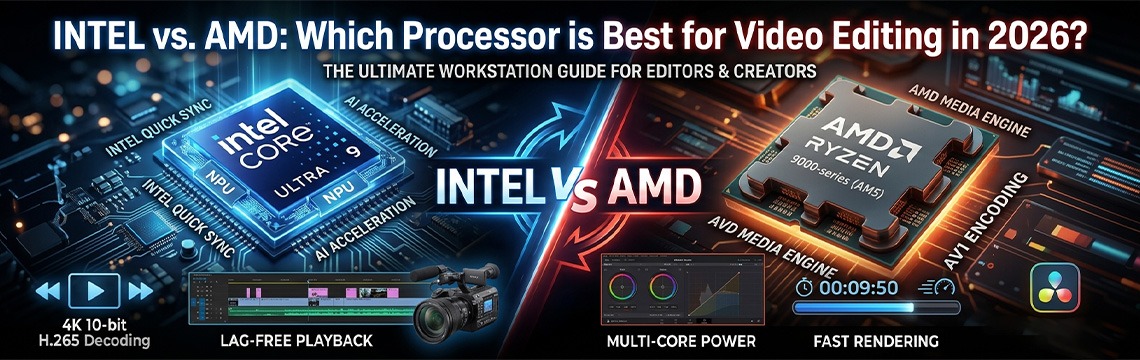
In the world of professional video production, your CPU is more than just a component; it is the heartbeat of your workstation. We’ve all been there: you have a high-paying client waiting, a timeline full of 4K 10-bit footage, and suddenly, your software begins to stutter. Frames drop, the "application not responding" wheel spins, and a simple three-minute render turns into an hour-long ordeal. As we move through 2026, the landscape of video editing has shifted dramatically. We are no longer just dealing with raw resolution; we are dealing with complex codecs like AV1, massive AI-driven masking, and 8K RAW workflows that demand more than just "high clock speeds." The rivalry between Intel and AMD has reached a fever pitch. Intel has doubled down on its hybrid architecture and AI integration with the Core Ultra series, while AMD has pushed the limits of multi-core efficiency and thermal management with the Ryzen 9000 and 10000 lineups.
Choosing the wrong processor today doesn't just mean a slower render; it means a frustrating editing experience that kills your creativity. At Ultra Tech, we see hundreds of editors struggling with "bottlenecks"—where a powerful GPU is wasted because the CPU can't feed it data fast enough. This guide is designed to strip away the marketing jargon and tell you exactly which chip will make your timeline feel like butter.
Why the Processor Matters for Video Editing?
When customers looking for a video editing PC, the first thing they usually ask for is the most powerful Nvidia RTX graphics card. While the GPU is important, it is a common misconception that it does all the work. In reality, the Processor (CPU) is the most critical component in your entire workstation.
If the GPU is the "muscle" that handles the heavy lifting of colors and effects, the CPU is the "brain" that manages every single frame, every cut, and every audio track on your timeline. Here is why the processor is the ultimate gatekeeper of your productivity:
1. The Decoding Process: Reading the Footage
Before you can even see a frame of video on your monitor, your computer has to "decode" it. Most modern cameras (Sony, Canon, Panasonic) compress video into formats like H.264 or H.265 (HEVC) to save space.
-
The Bottleneck: Your GPU cannot always read these compressed files efficiently.
-
The Solution: The CPU is responsible for "unpacking" these files in real-time. If your processor is weak, your computer can't unpack the files fast enough, leading to the dreaded "stuttering" or "choppy" playback, even if you have an expensive graphics card.
2. Software Instruction & Management
Video editing software like Adobe Premiere Pro, DaVinci Resolve, and After Effects are "CPU-bound" applications. This means the software sends instructions to the CPU first.
-
The CPU calculates the timing of your cuts.
-
The CPU synchronizes the audio waveforms with the video.
-
The CPU manages the "cache" (temporary files) that allow you to move back and forth on the timeline. A faster CPU with high single-core speeds ensures that when you click a tool or move a clip, the software responds instantly without a "spinning wheel" of death.
3. The "Render" vs. "Export" Confusion
There is a big difference between rendering (generating previews so you can watch your work) and exporting (saving the final file).
-
Rendering: While some effects use the GPU, the CPU handles the structural rendering of the timeline.
-
Exporting: When you hit "Export," the CPU works at 100% capacity to compress all your layers, transitions, and audio into a single file. A high-core-count CPU from AMD or Intel can cut a 1-hour export time down to 10 minutes, allowing you to move on to your next project faster.
4. AI-Driven Automation in 2026
We have entered the era of AI-assisted editing. Modern features like Auto-Transcription, Scene Edit Detection, and AI-based Object Removal are extremely heavy tasks. In 2026, processors now come equipped with NPUs (Neural Processing Units). These are dedicated sections of the CPU designed specifically to handle these AI calculations. Without a modern AI-capable processor, using these new features in Premiere Pro or Resolve will cause your entire system to crawl to a halt.
5. Feeding the GPU
Think of your CPU as a waiter and the GPU as a world-class chef. If the waiter (CPU) is slow at bringing orders to the kitchen, the chef (GPU) just sits there doing nothing. This is called a "Bottleneck." At Ultra Tech, we ensure your CPU is powerful enough to "feed" your graphics card so that you actually get the performance you paid for.
Architecture: Hybrid Cores vs. Raw Multi-Core Power
In 2026, the way a CPU "thinks" matters more than its speed.
Intel: The Hybrid Master
Intel uses a mix of P-Cores (Performance) and E-Cores (Efficiency).
-
The Benefit: While your P-Cores are busy rendering a heavy 4K clip, the E-Cores handle your background tasks like Chrome, Spotify, or file transfers. This prevents your entire system from freezing during a heavy export.
AMD: The Multi-Threaded Beast
AMD typically offers more "full-power" cores at a similar price point.
-
The Benefit: For tasks like 3D Rendering (Blender) or Heavy Color Grading (DaVinci Resolve), AMD’s architecture is often more efficient. If your work involves "math-heavy" processing rather than just cutting clips, AMD’s raw muscle is hard to beat.
Software Optimization: Match Your CPU to Your Tool
Adobe Premiere Pro
Premiere Pro is historically optimized for Intel. The integration between Intel’s architecture and Adobe’s Mercury Playback Engine is seamless. If you spend 8 hours a day in Premiere, an Intel Core Ultra 7 or 9 is the safest bet for a lag-free life.
DaVinci Resolve
Resolve is a different beast—it loves GPU power, but it needs a CPU that can keep up. AMD Ryzen processors thrive here, especially when paired with a high-end Nvidia card. The multi-core efficiency of AMD ensures that your Fusion compositions and heavy nodes don't bottleneck your GPU.
After Effects
After Effects is notorious for being "single-core" heavy. High burst speeds are king here. In 2026, both Intel and AMD are neck-and-neck, but Intel’s higher boost clocks often give it a 5-10% edge in responsive motion graphics work.
The "Hidden" Costs: Thermals and Longevity
When building a PC in Bangladesh, you have to consider the heat.
-
AMD’s Advantage: AMD processors are generally more power-efficient. They generate less heat per watt, meaning you can get away with a standard air cooler or a 240mm AIO. Plus, AMD’s AM5/AM6 sockets last for years, meaning you can upgrade your CPU in 2028 without buying a new motherboard.
-
Intel’s Challenge: High-end Intel chips are "hungry." They pull a lot of power and get very hot. To keep a Core Ultra 9 stable, you must invest in a premium 360mm liquid cooler and a high-tier power supply (PSU).
AI and the NPU: Future-Proofing for 2026
Video editing is no longer just about cutting; it's about AI. Tools like Auto-Reframing, AI Noise Removal, and Generative Fill are now standard. Both brands now include an NPU (Neural Processing Unit). This is a dedicated part of the processor that handles AI tasks so your main cores can stay focused on the timeline. Currently, Intel’s NPU has deeper integration with Adobe’s AI tools, but AMD’s AI performance is catching up fast in 2026.
The Buyer's Guide: Which One Should You Buy?
When you’re standing in a shop or browsing a site, it’s easy to get overwhelmed. To make it simple, I’ve broken this down into four types of editors. Figure out which one describes you, and you’ll have your answer.
1. The "Starting Out" Editor (YouTube & Social Media)
If you’re mainly making 1080p or basic 4K videos for YouTube, TikTok, or Instagram, you don't need to sell a kidney for a processor. You need something that works and doesn't overheat your room.
-
The Pick: Intel Core Ultra 5 or AMD Ryzen 5.
-
Why? These are the "workhorses." They can handle 4K footage from an iPhone or a Sony ZV-1 perfectly fine. They’re fast enough to get a 10-minute vlog exported in a few minutes, but they won't break the bank.
2. The "Freelance Hustler" (The 4K Pro)
This is the sweet spot. You’re likely shooting on a Sony A7S III or a Canon R5. You’re working with 10-bit color, and your timelines are getting a bit crowded with layers, music, and some basic color grading.
-
The Pick: Intel Core Ultra 7 (Highly Recommended).
-
Why? I’m leaning towards Intel here because of QuickSync. It’s going to make your 10-bit 4K footage playback so much smoother without you having to create proxies every single time. It’s the "no-headache" choice for a professional.
3. The "Cinema & VFX" Specialist
If your day involves DaVinci Resolve, heavy color nodes, or 3D work in Blender and After Effects, you need "raw muscle." You aren't just cutting clips; you're crunching massive amounts of data.
-
The Pick: AMD Ryzen 9.
-
Why? AMD wins here because of its massive core count. When you hit "Render" on a complex 3D scene or a 6K RED footage project, those extra cores will save you hours of waiting. It’s a powerhouse that loves to be pushed hard.
4. The "No-Compromises" Studio Build
If money isn't the main issue and you just want the absolute fastest machine possible so you never have to see a loading bar again—this is for you.
-
The Pick: Intel Core Ultra 9.
-
Why? It’s currently the king of Premiere Pro. It combines the massive core count of AMD with the playback smoothness of Intel. Just a heads-up: this thing runs hot, so make sure you’ve got a massive cooler to go with it.
Some Popular Intel & AMD Processor Options for Your Choice
| Brand | Processor Name (Click to View) | Generation / Series | Ideal For |
| Intel | Intel Core i5-13600K | 13th Gen Raptor Lake | 1080p / 4K YouTube Content |
| Intel | Intel Core i7-13700K | 13th Gen Raptor Lake | Professional 4K Editing |
| Intel | Intel Core i9-13900K | 13th Gen Raptor Lake | Extreme Multitasking & 8K |
| Intel | Intel Core i5-14600K | 14th Gen Raptor Lake R | Modern Mid-Range Workhorse |
| Intel | Intel Core i7-14700KF | 14th Gen Raptor Lake R | High-End Performance (No iGPU) |
| AMD | AMD Ryzen 5 5600X | Zen 3 (AM4) | Budget-Friendly Starter Build |
| AMD | AMD Ryzen 7 5700X | Zen 3 (AM4) | Affordable 8-Core Performance |
| AMD | AMD Ryzen 7 7700X | Zen 4 (AM5) | Fast, Future-Proof 4K Editing |
| AMD | AMD Ryzen 9 7900X | Zen 4 (AM5) | Serious Productivity & Rendering |
| AMD | AMD Ryzen 9 7950X | Zen 4 (AM5) | The 16-Core Flagship Beast |
| AMD | AMD Ryzen 9 7950X3D | Zen 4 (V-Cache) | Ultimate Gaming + Production Hybrid |
Final Verdict: Ultra Tech’s Recommendation
At the end of the day, there is no "bad" choice in 2026, only a "better" choice for your specific workflow.
-
Choose Intel if you want the smoothest, lag-free experience while cutting and scrubbing high-res camera footage. It is the "Editor's Choice" for stability and playback.
-
Choose AMD if you want a rendering powerhouse that stays cool, saves electricity, and offers a better long-term upgrade path for your motherboard.
Ready to Build Your Dream Editing Workstation?
Don't let a slow processor hold back your creativity. At Ultra Tech, we specialize in high-performance builds tailored specifically for video editors, colorists, and VFX artists. Whether you need a liquid-cooled Intel beast or a multi-core AMD workstation, our experts are here to help you choose the perfect components.
Visit Ultra Tech today for a custom quote or message us to consult with our hardware experts!
Leave a Comment